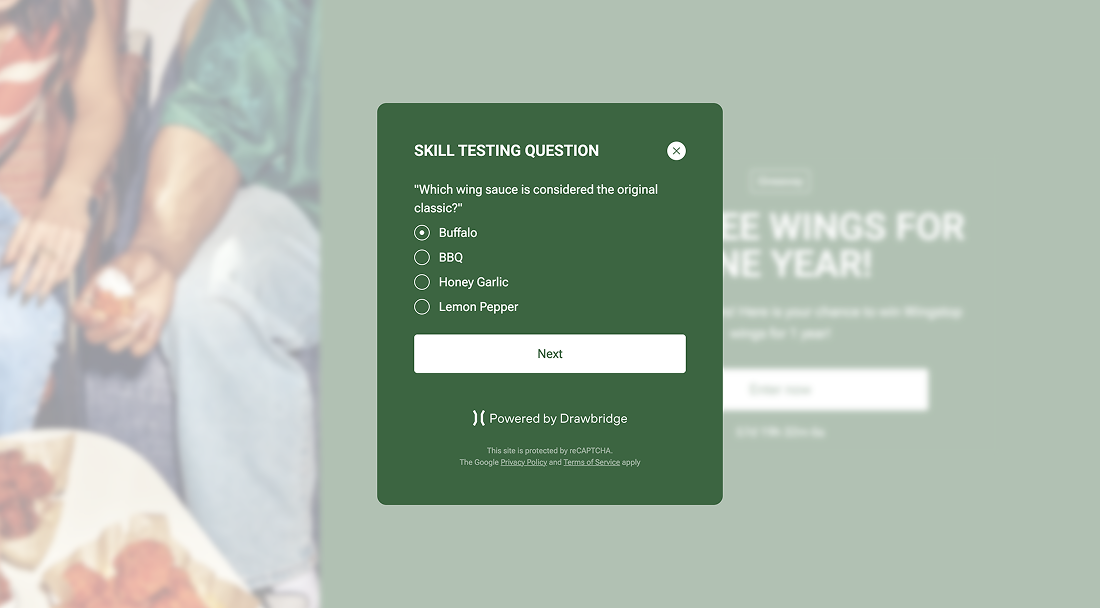
Skill testing question
Why should I use a skill testing question?
In certain areas and regions throughout North America, skill testing questions are required as part of the giveaway process. You have the option to add a skill testing question to your form. This way you don't have to send the winner a skill testing question before they can claim their prize - which saves you a step and extra hassle in the end.
Add in any type of multiple choice question you wish - these are most often math problems, but feel free to make it your own or get creative! You can include a skill testing question about the product you are giving away, so that people can learn more about it (and prove they are paying attention to your campaign...).
How do I implement a skill testing question?
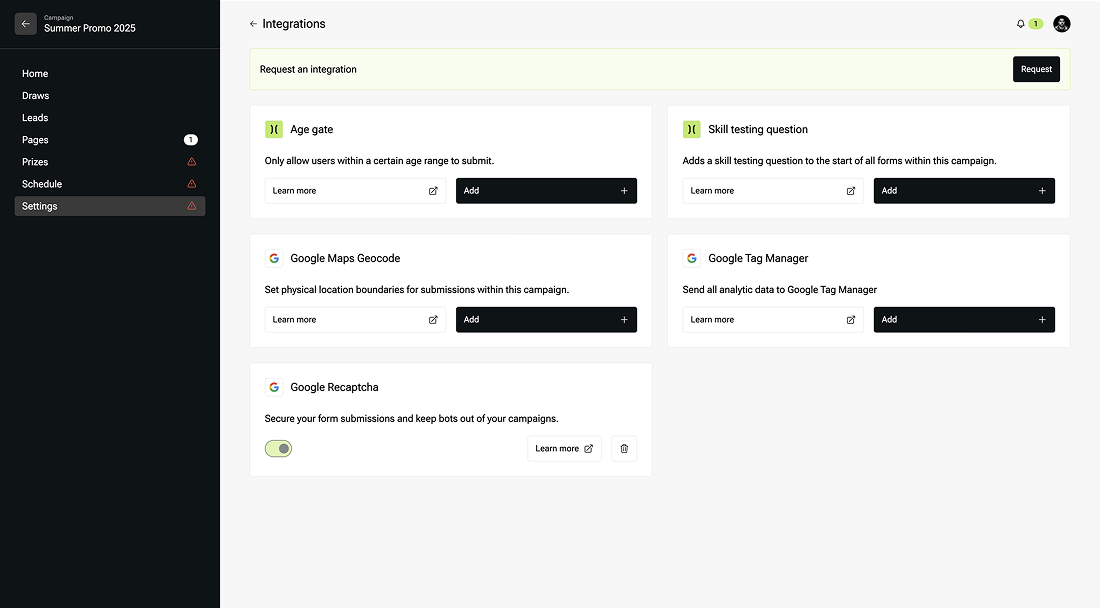
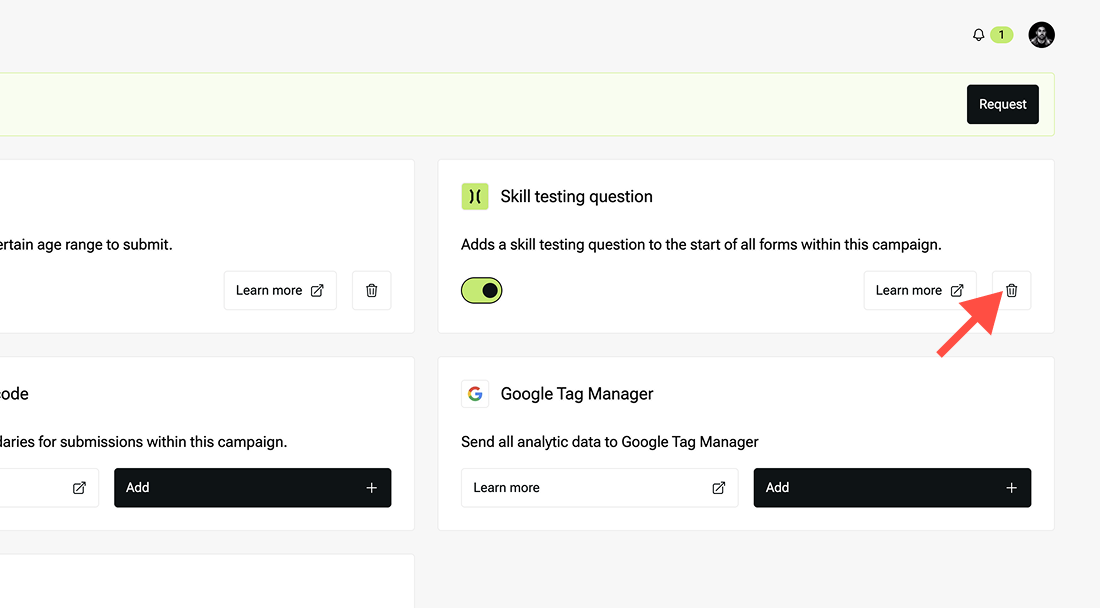
- On the integrations page, you can enable the skill testing question feature.
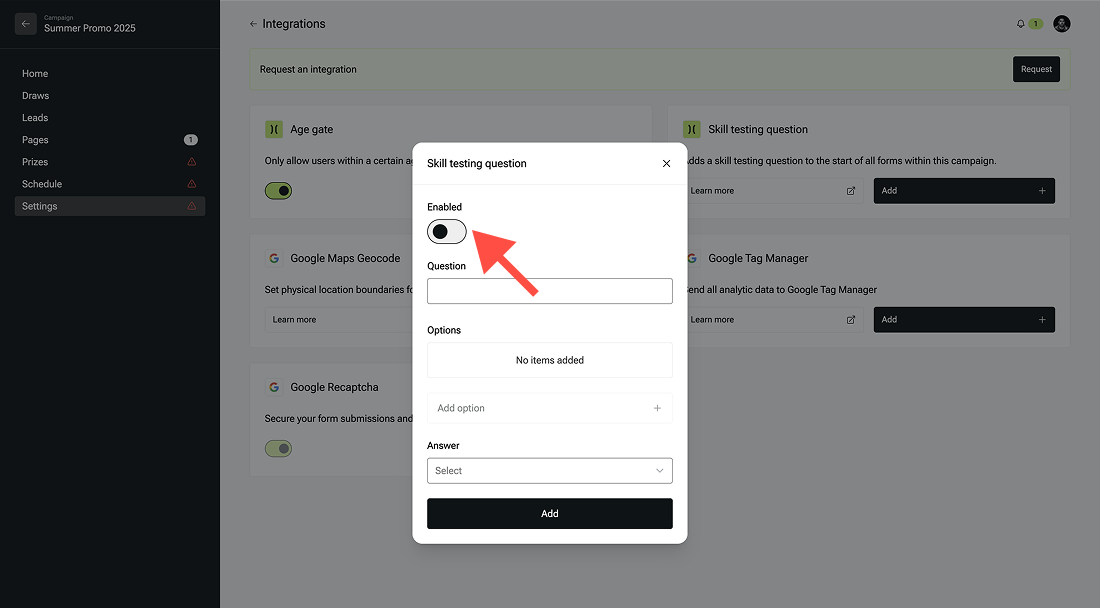
- Create the question - any question you wish!
- Add in the correct answer in the ‘add option’ field.
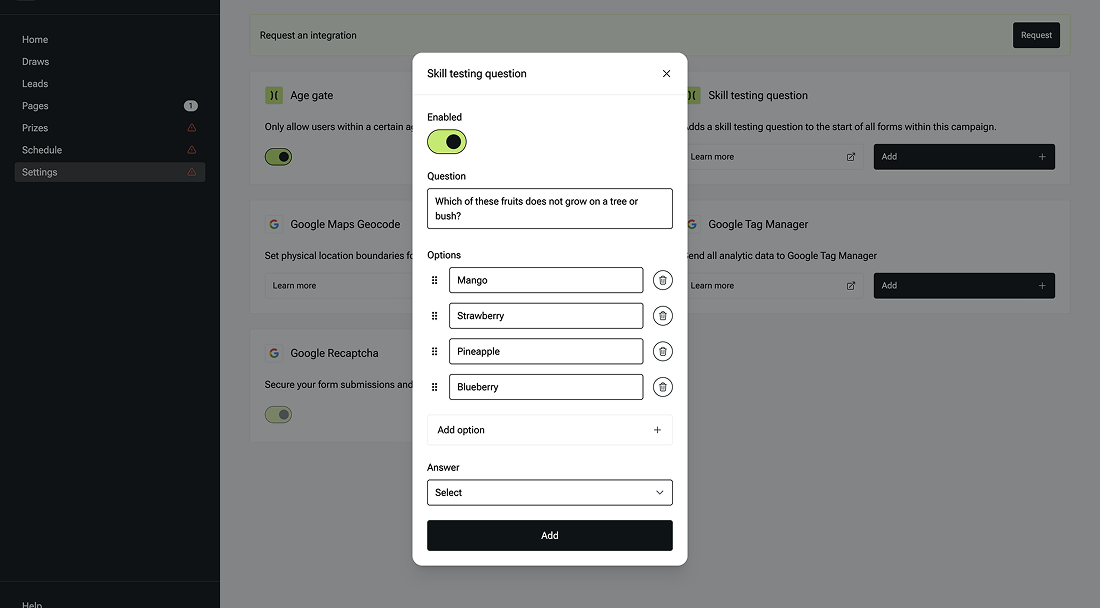
- Be sure to add at least two wrong answers for people to choose from, to make it multiple choice.
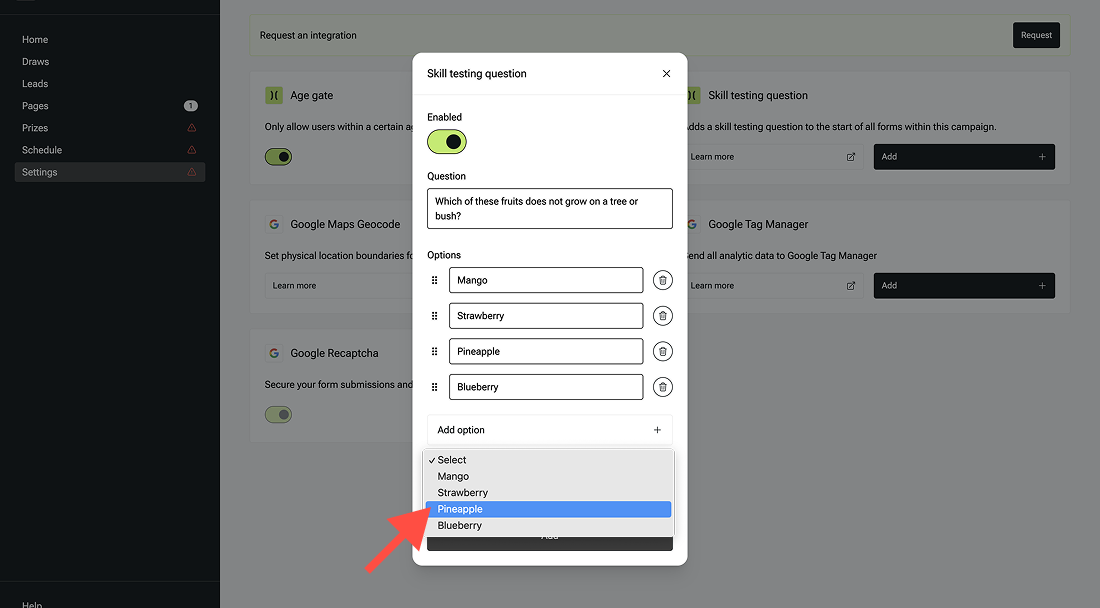
- You can remove an answer using the trash can icon if needed. Select the correct answer under the answer section and then hit save.
Where will the skill testing question appear?
The skill testing question will appear on your landing page as a pop up right after a page visitor clicks to enter to the giveaway, and right before they have to submit their name and email to officially enter the draw. You can also add an age gate prior to the entry page, which appears in a similar fashion as a skill testing question - as a pop up before the entry page.